EthoVision XT Resizer error (ID 8359)
Last updated: Nov 07, 2025
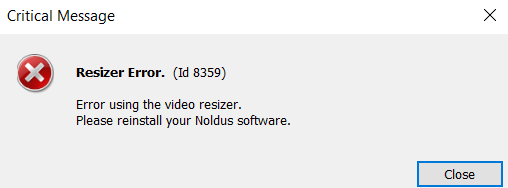
Error: "Resizer error (Id 8359)" when capturing background image
If you receive the message "Resizer error (Id 8359)" while trying to grab a background image in Arena Settings, it indicates that the Noldus Resizer component is either missing or has become corrupted.
Solution: Reinstall Noldus ResizerFilter
The likely cause is a missing or corrupt Noldus ResizerFilter. You will need to reinstall the correct version that corresponds to your version of EthoVision XT.
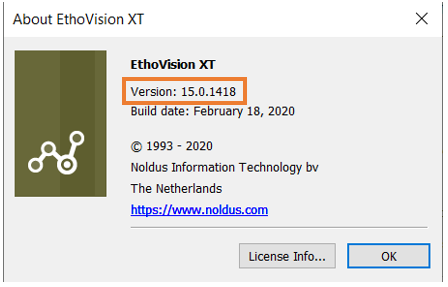
To check your EthoVision version, go to: Help > About EthoVision XT in the software menu.
Download the Correct Resizer Filter
Use the table below to find the correct Resizer Filter version for your version of EthoVision XT:
| EthoVision XT Version | Resizer Filter Download |
|---|---|
| 16.0, 17.0 | Noldus Resizer Filter 13.1.2 |
| 14.0, 15.0 | Noldus Resizer Filter 13.0.2 |
| 12.0, 13.0 | Noldus Resizer Filter 12.1.6 |
Installation Instructions
- Download the appropriate Resizer Filter installer using the link above.
- Double-click the file to run the installer.
- After installation completes, reopen EthoVision XT and try capturing a background image again.
Need a different version? If you're using a version not listed here, please contact Noldus Support for assistance.