I cannot find my project’s VOP file. I see a file that looks like it might be it, but I am unsure
Last updated: Aug 24, 2026
Solution: Check that the Windows File Explorer is not “hiding” the relevant file information
If your project’s folder looks similar to the image below, it is likely that Windows is hiding the file type and file extension information.

You can resolve this issue by going to “View”, checking the “Details” (will display the file type information), and checking the “File name extensions” box (will display the file extension information after the file name).
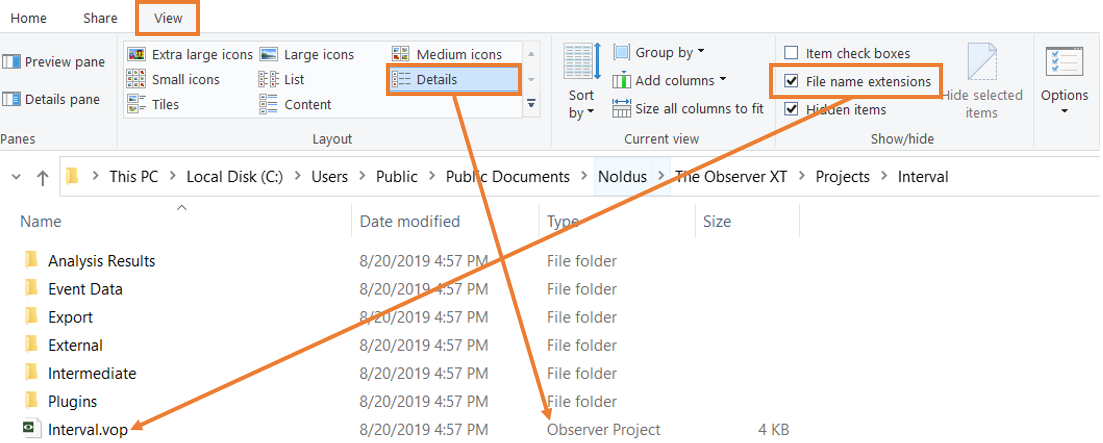
Please note that the .vop file is not a complete project. This is the file you select to open the project, but don't copy just this file, or create a new copy in this folder. To copy the project, copy the entire folder named for the project, or open the project in The Observer and then use File > Save Project As to create a new copy.