My color Basler camera is monochrome in EthoVision XT
Last updated: Aug 24, 2026
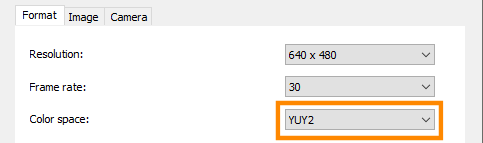
Solution: Change the Color Space to YUY2 in EthoVision XT
In the Experiment Settings, click on the icon to get a live image and to open the Video Settings window.

In the Format tab of the Video Settings window, change the Color Space field to YUY2 and check the resulting live image to see if the issue is resolved.
NOTE The image will take a few seconds to update after making any changes.
For experiments where a monochrome image is preferred, use Y800 as the color space instead.