Subject renaming in TrackLab
Last updated: Aug 24, 2026
TrackLab records location data from your subjects by wearable tags. For example, a Sewio UWB tag that is attached to the collar or a cow. Each tag has its own MAC identification number.
Inside the TrackLab Software in the Setup - Variables tab, on the SUBJECT-LEVEL page, you find an overview of the presented tags recorded within the selected session.
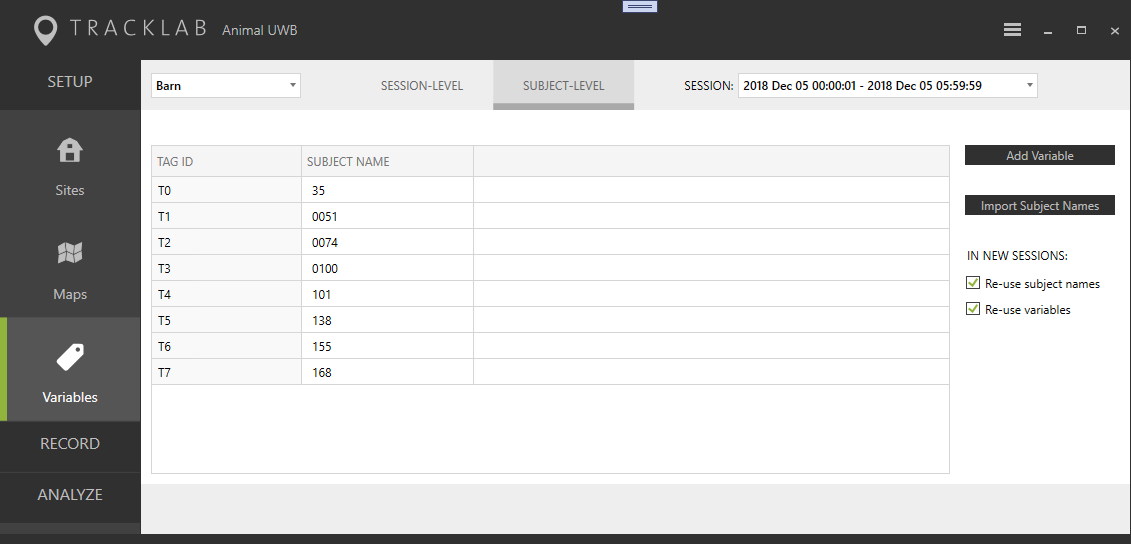
As seen in the picture in the second column, each tag has a subject name assigned. Initially, the subject names are equal to the tag-IDs. Now with TrackLab version 2.12, it is possible to replace these code names with more suitable subject names. These names are then used throughout TrackLab to identify the subjects.
In TrackLab, each subject name uniquely identifies a real recorded subject. Meaning that:
- It is not allowed to assign the same subject name twice in the same session.
- The subject name used in several sessions represents the same subject. Even in case, the sessions belong to different recorded sites.
- Although not commonly used identical subjects can be used by several sites. However, the shown analysis results in TrackLab are always limited to one selected site.
Read how to rename your subjects HERE
Read HERE how to re-use subject names.
Continue to this article to read when subject renaming fails.