There are no data in my experiment. What happened ?
Last updated: Aug 24, 2026
When trying to open recordings for analysis, the message opens:
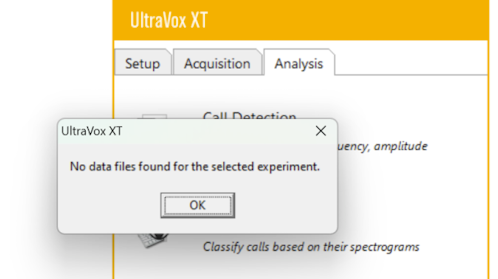
This occurs when UltraVox XT looks for recordings that are no longer present in the experiment. This could be for the following reasons:
First reason: There are no recordings in the experiment folder. You can check this by opening the folder under Experiments that has the same name as the experiment. There should not be recordings (UVD) and other files.
Second reason: The experiment folder still contains recordings, however the software points to another folder which does not contain recordings. This happens when experiments are duplicated not in the proper way, for example by simply copying an entire folder and giving this new folder another name. Do the following:
- Close the experiment.
- Open the folder of the experiment.
- Right-click the file with extension UVX and select Open with Notepad.
- Take note of the name on the second line, near Name =. This is the name of the folder where UltraVox XT was looking in. Perhaps this folder was deleted, or moved, with its own recordings.
- Try to recover that folder and place it under Experiments.
IMPORTANT To make a new copy of an experiment, always use the File > Save As function within UltraVox XT !