Understanding Axis camera LEDs
Last updated: Aug 24, 2026
Understanding camera LEDs
When troubleshooting an Axis network camera, the camera LEDs can be a very useful source of information. Different models have different LED setups, but here we’ll use the AXIS P1365 as an example. This model has three LEDs: one for status, one for power and one for network. Each LED can show different colors.
The status LED
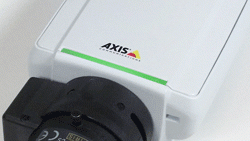
A steady green light means normal operation.
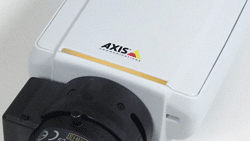
A steady amber light is shown during startup, during a reset to factory defaults or when restoring settings.
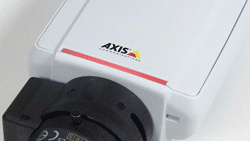
A slowly flashing red light indicates a failed firmware upgrade.
The power LED
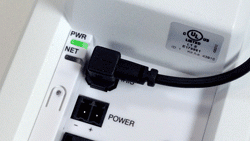
- A steady green light means normal operation
- The light flashes green/amber during a firmware upgrade.
The network LED
- Steady green when connected at 100Mb/s. Flashes on network activity.
- Steady amber when connected at 10Mb/s. Flashes on network activity.
- Unlit when there is no network connection.