Understanding Axis camera LEDs
Last updated: Jun 02, 2026
Understanding Camera LEDs
When troubleshooting an Axis network camera, the camera LEDs can provide useful diagnostic information. Different models have different LED setups. This example uses the AXIS P1365, which has three LEDs: status, power, and network. Each LED can display different colors to indicate camera status.
Status LED
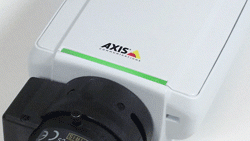
Steady green: Normal operation.
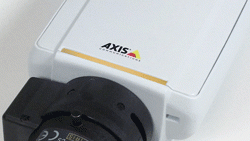
Steady amber: Displayed during startup, reset to factory defaults, or restoring settings.
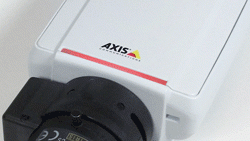
Slowly flashing red: Indicates a failed firmware upgrade.
Power LED
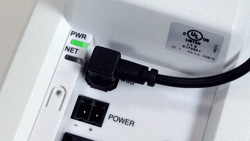
- Steady green: Normal operation.
- Flashing green/amber: Occurs during a firmware upgrade.
Network LED
- Steady green: Connected at 100Mb/s. Flashes with network activity.
- Steady amber: Connected at 10Mb/s. Flashes with network activity.
- Unlit: No network connection.