My CatWalk XT experiment will not open as it reports that it was made with a previous (or newer) version of the software, but the same version was used.
Last updated: Nov 07, 2025
Cannot Open Experiment Due to Version Conflict
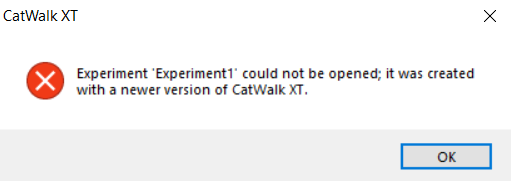
This issue occurs when attempting to open a CatWalk XT experiment and receiving a warning that the experiment was created with a newer software version—even if the current version is the same one used previously. In some cases, it may incorrectly state that an older version was used but fail to convert the experiment. A typical error message appears as follows:
Cause
The version.dat file in the experiment folder has become corrupted. This file stores only the version metadata, so replacing it is safe and will not affect your actual experiment data.
Solution: Replace the Corrupted version.dat File
- Locate a working experiment. If you don’t have one, open CatWalk XT and create a new dummy experiment using Create a new experiment.
- Open the experiment folder using Windows File Explorer. The default location is:
C:\Users\Public\Documents\Noldus\CatWalk XT\Experiments - In the folder of the working experiment, right-click the
version.datfile and choose Copy. - Navigate to the folder of the experiment that won’t open. Right-click its
version.datfile, choose Rename, and change its name toversion.dat.old. Confirm any warning that appears. - Right-click in a blank area of the folder and select Paste to copy the working
version.datinto this folder.
Final Step
Close any open instances of CatWalk XT. Then relaunch the application and open the previously problematic experiment. It should now load successfully.