I made a backup file but I cannot see the VPB file extension on the end in File Explorer.
Last updated: Nov 07, 2025
Displaying Backup File Extensions in The Observer
Backup files created in The Observer have a .vpb extension. However, Windows may hide this extension by default, making it appear as if the file has no extension in File Explorer:
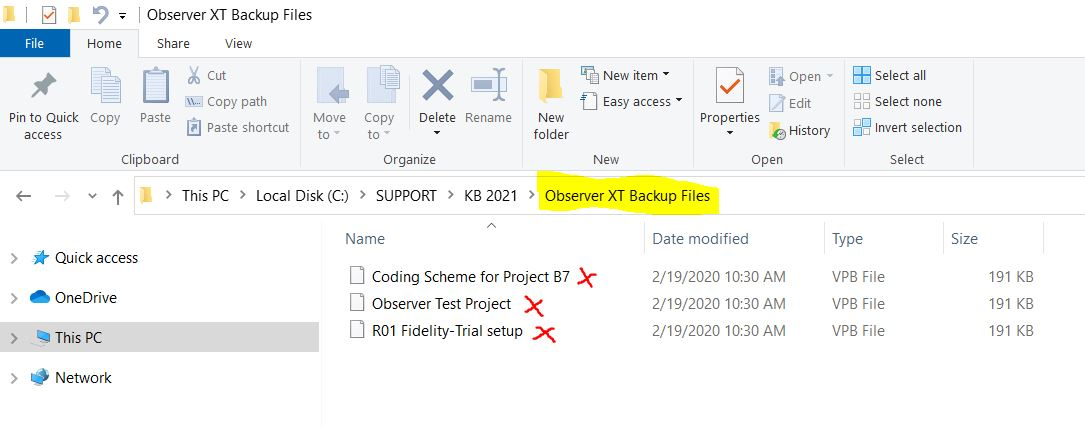
This occurs because Windows hides extensions for known file types by default. To ensure you can see all file extensions (including .vpb), follow the instructions below based on your version of Windows.
For Windows 7
- Open File Explorer.
- Press the Alt key to show the menu bar.
- Go to Tools > Folder Options.
- Select the View tab.
- Uncheck the box labeled Hide extensions for known file types.
- Click OK to apply the changes.
For Windows 10
- Open File Explorer.
- Go to the View tab in the ribbon.
- Check the box labeled File name extensions.
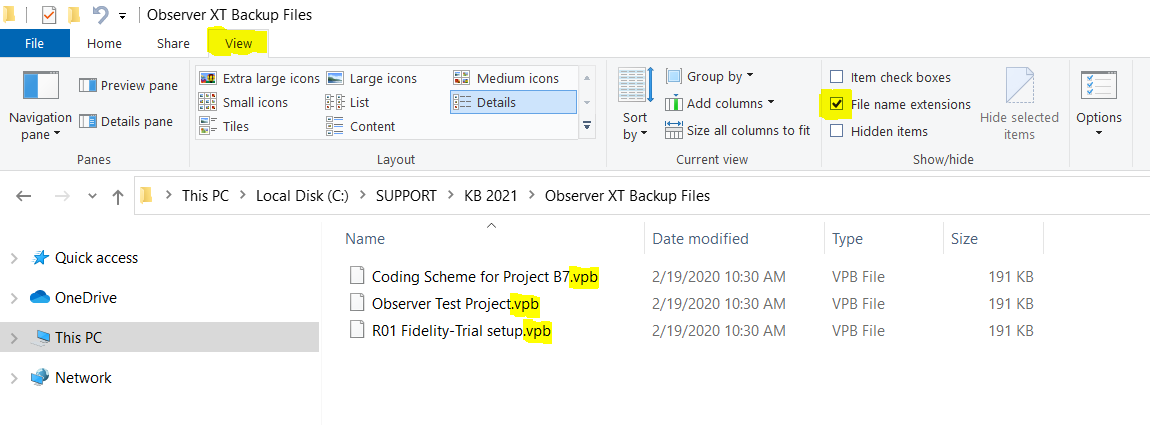
After doing this, the .vpb extension will be visible for your backup files, helping you confirm the file type and use it correctly in The Observer.