No data files found for experiment in UltraVox XT
Last updated: Nov 07, 2025
Error: "No Recordings Found" in UltraVox XT
When attempting to open recordings for analysis in UltraVox XT, you may encounter the following message:
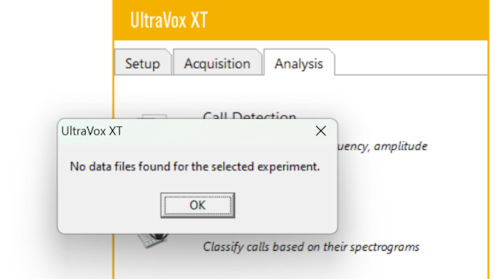
This error occurs when UltraVox XT is unable to locate the recordings associated with the experiment. The issue can result from one of two main causes:
1. No Recordings Present in the Experiment Folder
Check whether the experiment folder contains any recordings:
- Go to the Experiments directory.
- Locate the folder with the same name as your experiment.
- Ensure it contains
.UVDfiles and other necessary files.
If no .UVD files are present, UltraVox XT cannot proceed with analysis.
2. Folder Name Mismatch or Incorrect Path
This situation can happen if the experiment folder was copied manually (e.g., via Windows Explorer) and renamed, instead of using UltraVox XT’s built-in File > Save As function.
Solution:
- Close the experiment in UltraVox XT.
- Navigate to the experiment folder on your system.
- Right-click the
.UVXfile and choose Open with > Notepad. - Check the second line that starts with Name =. This specifies the original folder name UltraVox XT expects.
- Restore or rename the folder to match the expected name exactly and place it under the Experiments directory.
Important: To create a copy of an experiment, always use File > Save As from within UltraVox XT. Do not copy and rename experiment folders manually via File Explorer.
Correct folder management will ensure that recordings are found and correctly linked to your experiment data.