UltraVox XT Error Message - Out of Memory
Last updated: Nov 07, 2025
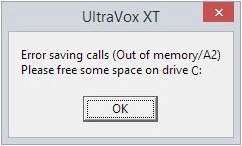
Error: “Error saving calls: Out of memory (A2)”
This error occurs in UltraVox XT when attempting to save calls from a recording with a large number of detected calls—typically more than 500—combined with a high Overlap (%) setting in the Spectrogram settings.
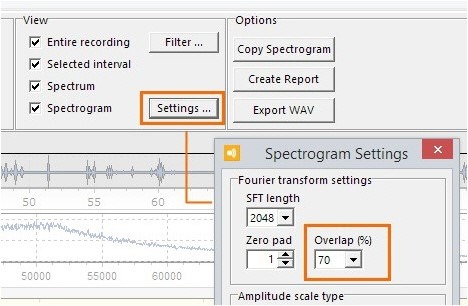
The Overlap (%) setting controls how much overlap there is between adjacent Short-Time Fourier Transform (SFT) frames in the spectrogram. While a higher value can improve detection of brief events, it significantly increases memory usage because it causes the same data to be processed repeatedly. This can eventually exhaust available memory and trigger the error.
Solution
- In the Call Detection screen, go to View > Settings.
- Reduce the Overlap (%) setting—for example, change it from 90% to 70%.
- Click Close to apply the settings.
- Back in the Call Detection screen, click Apply to re-detect calls using the new settings.
- Once detection is complete, save the experiment.
Tip: Lowering the Overlap setting reduces processing time and memory load, which improves stability for large datasets.