Replacement of Sewio hardware
Last updated: Aug 24, 2026
Every now and then Sewio hardware gets broken and a replacement needs to be provided for a customer. It is important to deliver replacement anchors and tags properly configured so that the customer has minimal effort to restore their system.
Anchors
Anchors come with the default configuration from the factory. It is important to adjust such settings to match the existing anchors before shipping the replacement to the customer.
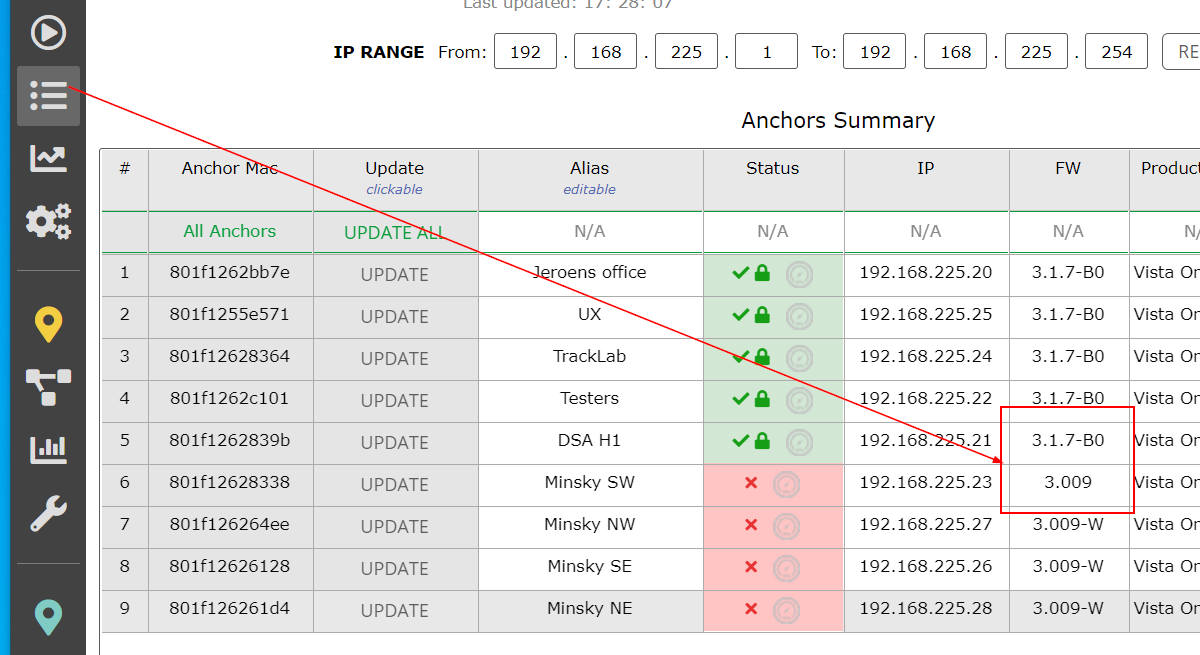
1. The firmware of the replacement anchor should be the same as for the other anchors on the system. Below is an example of different anchor firmware. If that is the case update the firmware to the same version.
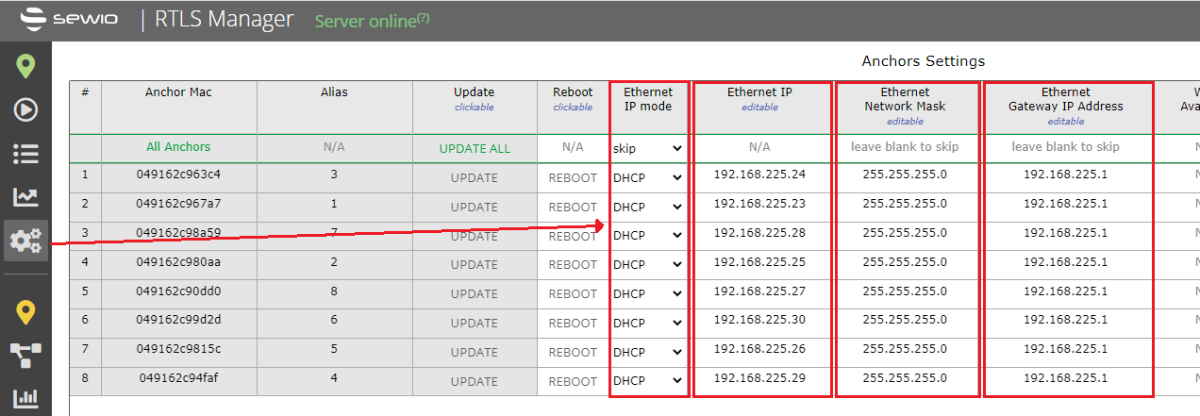
2. The anchor IP configuration should be the same as for the other anchors at the customer site. It should be either static or DHCP (to acquire an IP address from the DHCP server). In case the "Ethernet IP mode" is set to static please set it to the correct values for the fields "Ethernet IP", "Ethernet Network Mask" and "Ethernet Gateway IP Address".
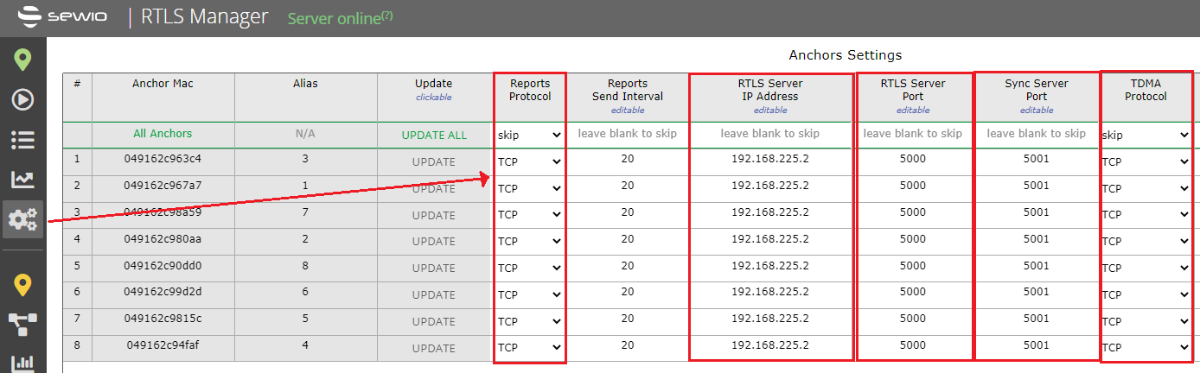
3. Continuing the IP configuration of the anchor (scroll to the right). The fields "Reports Protocol", "RTLS Server IP Address", "RTLS Server Port", "Sync Server Port" and "TDMA Protocol" must be configured the same as at the customer site.
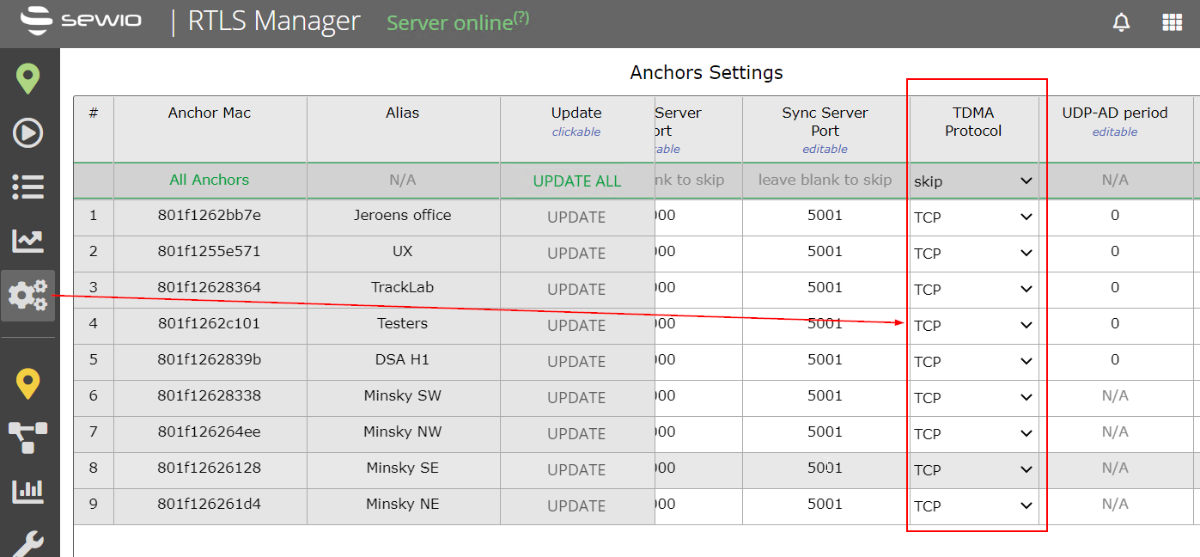
4. The anchor synchronization protocol should be the same as for the other anchors on the customer system.
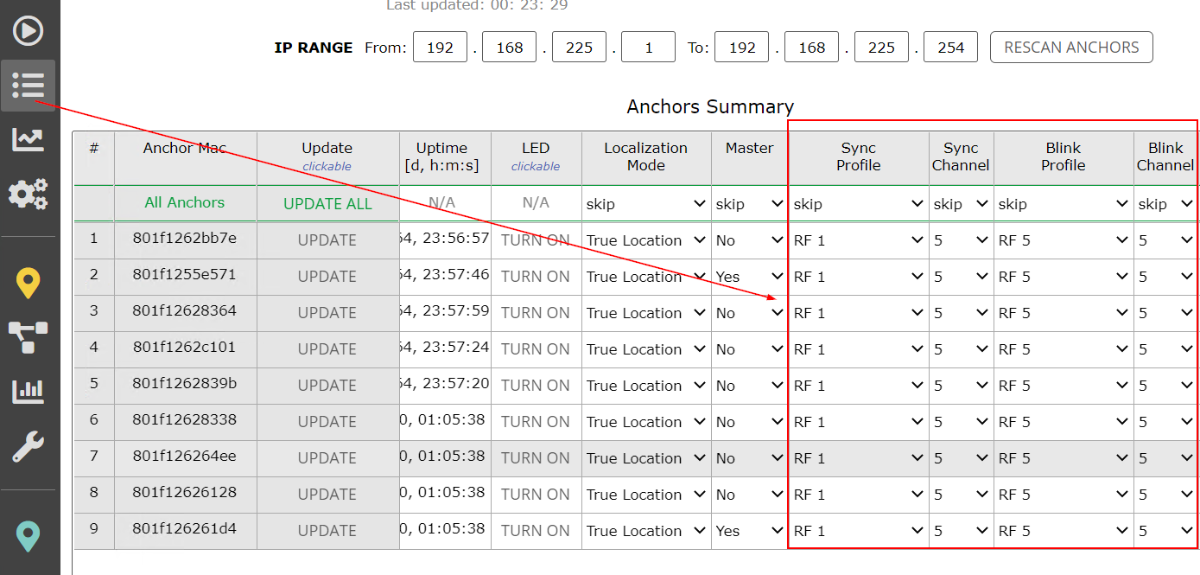
5. The sync and blink channel and profile should match the other anchors on the customer system.
Tags
1. The blink channel and profile should match the settings of the anchors (and the settings of other tags).
2. The refresh rate should be the same as for other customers' tags.
3. Tag firmware should be the same as for other customer tags.
4. Tag sleep settings should match the settings of the other customer tags. We recommend the following sleep mode settings.
6. The same sensors on the tag should be enabled as for any existing tags in the system. The easiest way is to configure tag(s) using NFC. It is also possible to do that wirelessly but for that, a working RTLS system is needed.