UltraVox XT Error Message - Out of Memory
Last updated: Aug 24, 2026
The following error appears: “Error saving calls: Out of memory (A2)”.
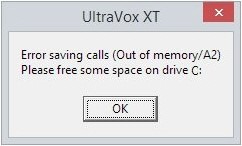
The problem occurs when your recording has lots of calls, for example more than 500, and the Overlap (%) value in the Spectrogram settings is high, for example 90%. Increasing Overlap can improve sensitivity for brief events, but it substantially increases the amount of data that must be recorded, as well as slowing down the analysis, as the same data must be reanalyzed for each overlapping SFT frame.
Solution
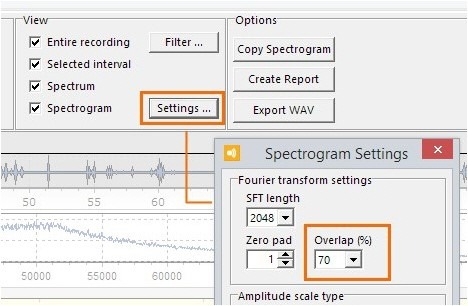
- In the Call Detection screen, under View, click Settings.
- Reduce the value of Overlap (%), for example to 70%. Next, click Close.
- In the Call Detection screen, click Apply to detect the calls, then save the experiment.